



How do I add text to my Experience?
To add text to your Experience, start by creating a new Experience or editing an existing Experience. On the Experience screen you’ll see a dropdown menu with all the different types of content you can add.
Click into that dropdown menu and select Text and then the options for text will now appear.
Type (or better yet Paste) your text into the box box:
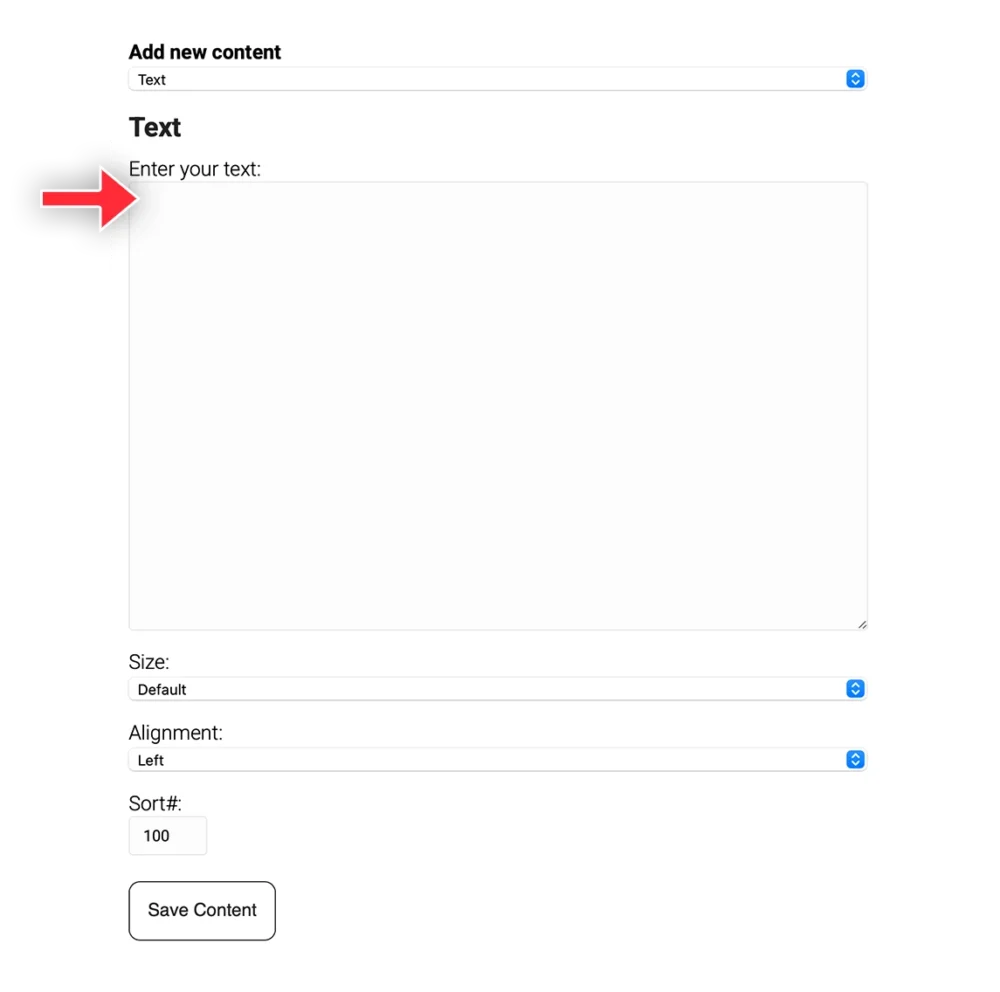
Once you are done, click the Save button at the bottom.